GANTRY
Scene Converter
Convert 3D to OpenUSD for Apple platforms. RealityKit Viewport, live material editing, Texture Optimization, and USD, USDA, USDC, and USDZ export.
Download Press KitIncludes app icon, logo, screenshots, social assets, and boilerplate copy. ZIP, ~96 MB.
- App name
- Gantry: Scene Converter
- Developer
- Cristian Díaz / Reality Check
- Versions
- macOS and iOS / iPadOS / visionOS builds version independently
- Platforms
- macOS 15.0+ · iOS 26.0+ · iPadOS 26.0+ · visionOS 26.0+
- Category
- Developer Tools
- App Store
- apple.co/41UvOMa
- Website
- gantry.reality2713.com
- Documentation
- documentation.gantry.reality2713.com
- Input formats
- FBX · glTF / GLB · OBJ / MTL · STL · PLY · USD / USDA / USDC / USDZ
- Export formats
- USD · USDA · USDC · USDZ
- Launch playlist
- YouTube — Gantry launch series
- Privacy
- See the privacy policy.
Gantry converts FBX, glTF, OBJ, STL, and PLY to OpenUSD for Apple platforms. Preview in RealityKit, edit materials, tune textures, and export USD or USDZ.
Gantry converts FBX, glTF, OBJ, STL, and PLY to USD, USDA, USDC, or USDZ for Apple platforms. Check the model in a real-time RealityKit viewport, edit materials live, and balance texture size and detail before you ship. A USDZ export packages everything into one portable file.
Gantry converts 3D files to OpenUSD for Apple platforms. Open FBX, glTF or GLB, OBJ with MTL, STL, PLY, or any USD file and inspect it in a real-time RealityKit viewport. Switch USD variants and play embedded animation in place. Check materials under curated image-based lighting environments, then adjust Base Color, Metallic, Roughness, Emissive, and Opacity, or replace and clear textures per channel, with changes updating live. Gantry flags large textures; choose a format, quality level, and maximum size per channel to balance file size and detail. Export USD, USDA, USDC, or USDZ. A USDZ export packages the model and its textures into one portable file you can share or open in Quick Look. Gantry does the structural prep; Preflight does the checks. Named after the structure that services a rocket before launch.
Convert 3D to OpenUSD for Apple platforms, with a live RealityKit preview, material editing, and texture controls.
- RealityKit Viewport Real-time RealityKit preview. Orbit, pan, and inspect before you export. Switch USD variants; play, pause, or stop embedded animation in place.
- Material Editor Adjust Base Color, Metallic, Roughness, Emissive, and Opacity per channel. Switch a channel between a color and a texture, replace a texture, or clear it. Changes update live in the viewport.
- Environment Lighting Curated image-based lighting environments. Adjust exposure and rotation, or show the environment as the background.
- Texture Optimization Gantry flags large textures. Choose a format (PNG, JPEG, or AVIF), a quality level, and a maximum size per channel to balance file size and detail.
- USD Export Save as USD, USDA, USDC, or USDZ. A USDZ export packages the model and its textures into one portable file you can share or open in Quick Look.
- Broad Format Support Open FBX, glTF / GLB, OBJ / MTL, STL, PLY, and USD / USDA / USDC / USDZ. Export USD, USDA, USDC, or USDZ.

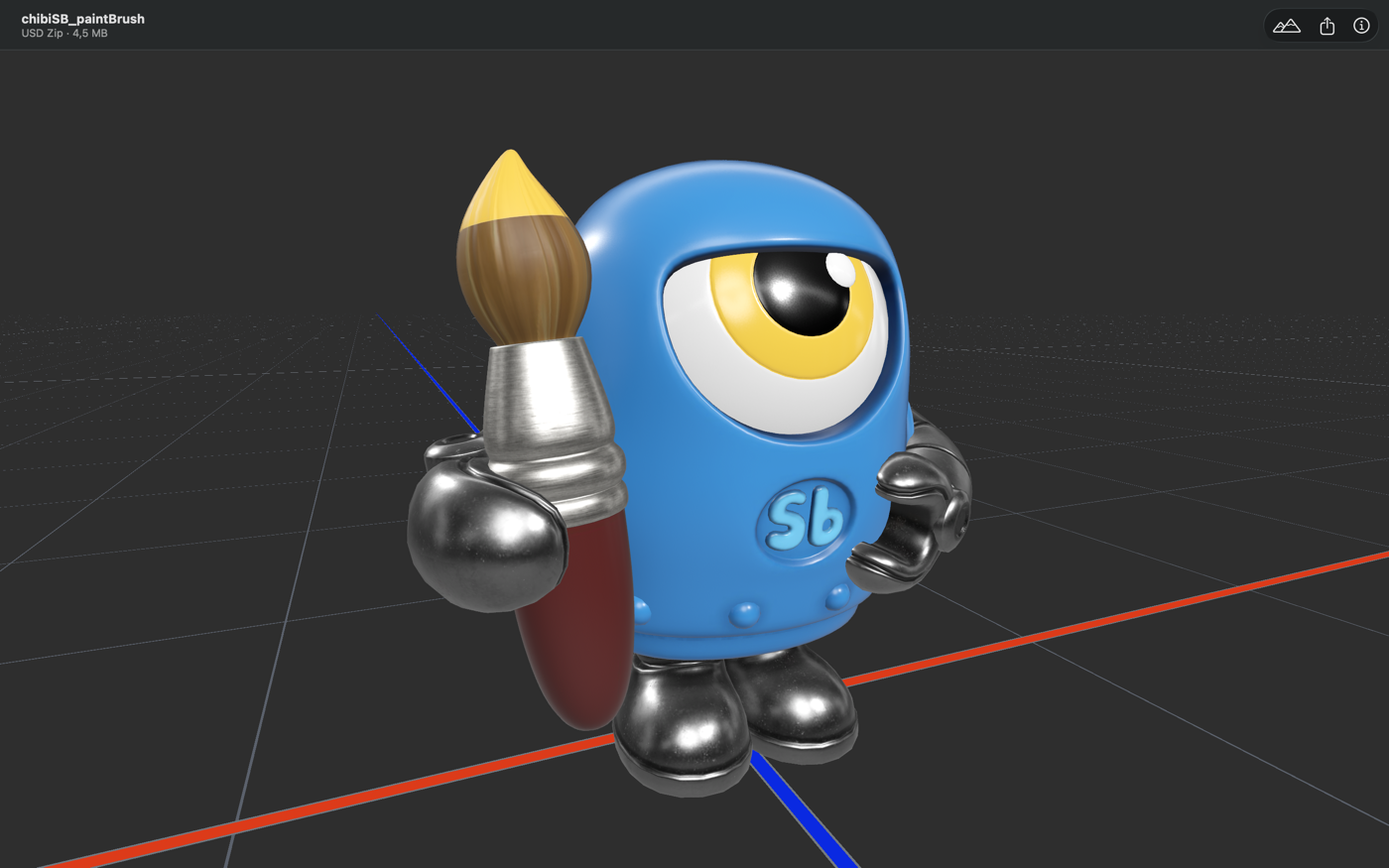
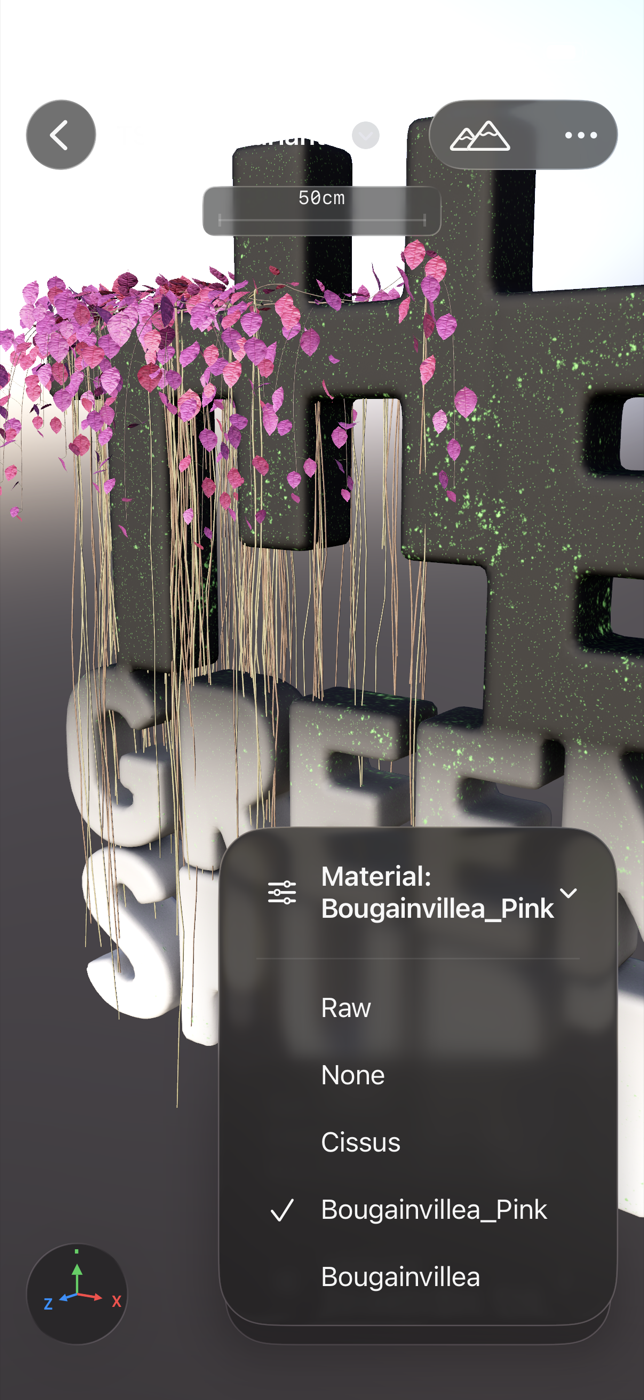


Assets are free to use for editorial, review, and promotional coverage of Gantry. Do not alter the app icon or wordmark proportions.
PRESS CONTACT
REALITY CHECK
gantry@reality2713.comFor review copies, high-res assets not included here, or interview requests.
Also see: Preflight — Professional OpenUSD Validation →